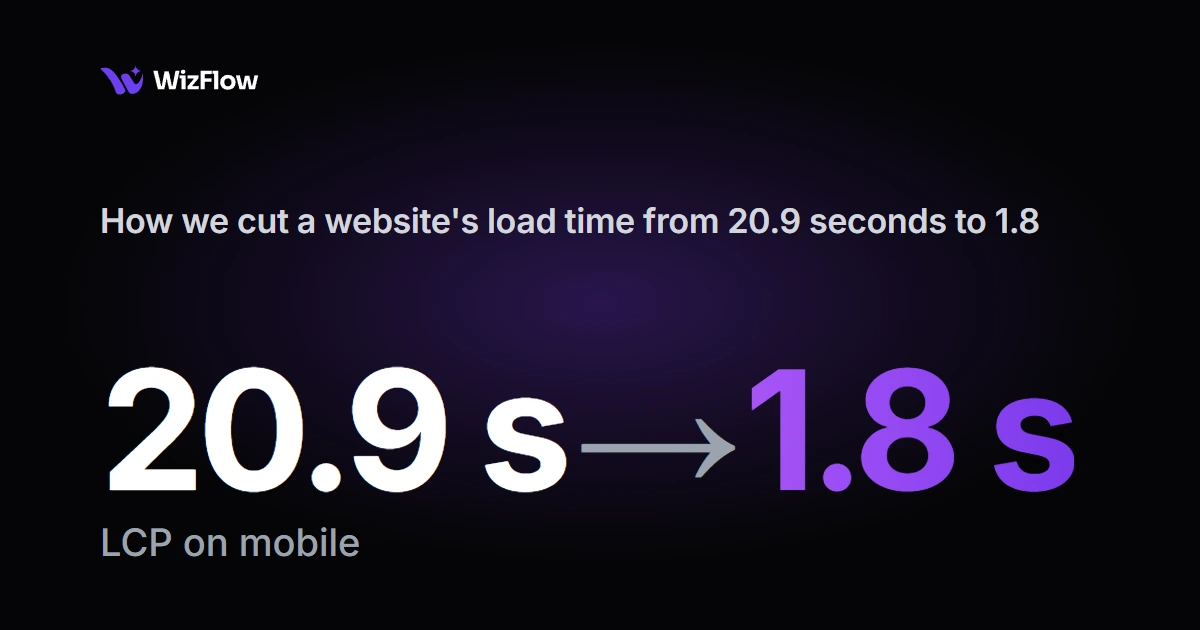
We didn't fix the old site. We rebuilt it. A WordPress and WooCommerce shop that sold one e-book became a static Astro site, with Payhip handling checkout. Lighthouse performance went from about 59 to 94, and the main content now appears in 1.8 seconds on mobile instead of about 20.9.
The site
Marija sells Zdravo Sutra, an e-book with 65+ healthy recipes, to readers in Serbia. Her site ran on WordPress with WooCommerce, and she asked us to look at what could be better.
What we measured
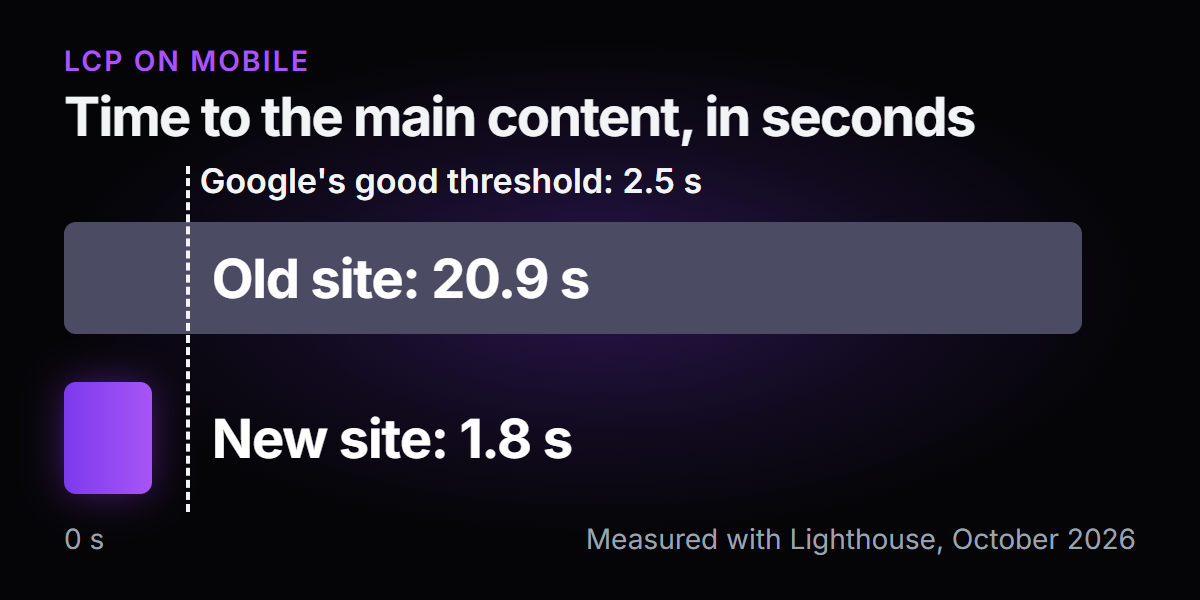
We started with Lighthouse, Google's free tool for testing page speed and quality. The number that stood out was LCP, Largest Contentful Paint: the time until the biggest thing on the screen, usually the main image or headline, is visible. Google treats 2.5 seconds or less as good.
| Before | After | |
|---|---|---|
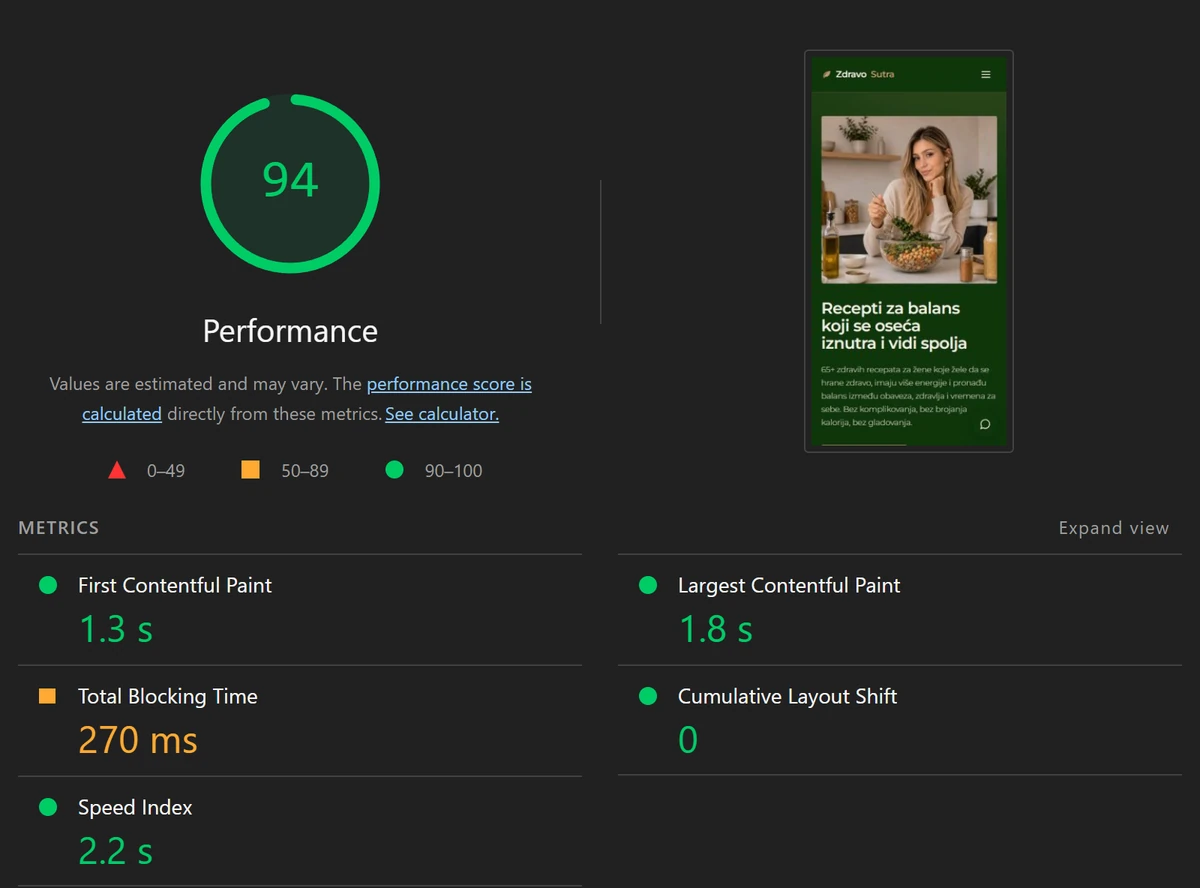
| Lighthouse performance | about 59 | 94 |
| LCP on mobile | about 20.9 s | 1.8 s |
| LCP on desktop | not measured | 0.7 s |
Measured with Lighthouse in October 2026. Scores can move a few points between runs.
Speed was not the only problem. Our audit also found:
- The site language set to Bosnian instead of Serbian
- No SEO plugin
- PayPal as the only working payment method, with no bank transfer details
- Legal pages that were never published
- Demo content from the theme still on the live site
Fix it or rebuild it?
Our usual first step is to fix what is there: compress images, remove plugins, add caching. Here we asked a different question first. Does this business need a shop at all?
Marija sells one product. A full WooCommerce store brings a cart, checkout, customer accounts, payment plugins and all the code that runs them, plus the updates and security patches that come with it. That is a lot to carry for one e-book.
So we listed what the site actually has to do:
- Explain the book and what is in it
- Show who Marija is
- Publish recipes and blog posts
- Send buyers to a checkout that works
Payhip already handles checkout and delivery for digital products. Once checkout lived there, what was left was a content site, and that is a job for a static site.
What we built
- Astro. Every page is built ahead of time into plain HTML. The browser gets finished pages and almost no JavaScript.
- Netlify. The files are served from a CDN, close to each visitor.
- Payhip for checkout. Payment and file delivery happen off the site, so the site stays light.
- Keystatic. Marija writes blog posts herself, without code and without a WordPress dashboard.
- Images sized for each screen. Photos go through Astro's image component with several widths, so a phone downloads a smaller file than a desktop.
- Fonts served from the site itself. Montserrat is hosted on the site as two font files, both preloaded, and text shows straight away while they load.
- Styles inlined into each page. There is no separate stylesheet file to wait for before the page can draw.
- Her real content. Text, photos and reader testimonials moved over from the old site.
- 301 redirects from the old URLs, so existing links and search rankings carry over.
- SEO basics: a sitemap, structured data, social preview tags and Google Search Console.


The rebuild took one week.
When a rebuild makes more sense than fixing
A rebuild is worth considering when:
- The platform does far more than the business needs, like a full shop for one product or a page builder for five pages
- Every speed fix means adding another plugin
- Nobody on your side can safely update the site
- The content is small enough to move in a few days
Fixing is usually the better call when you have many products, real order history, customer accounts or integrations your team relies on. Then the work is images, plugins, caching and hosting, not a new platform.
You can see the finished site and the full project in the Zdravo Sutra case study.

Written by
Miroslav Markovic
Co-founder, development
Leads development at WizFlow. 7+ years building websites and web apps in Webflow, WordPress and React. Based in Belgrade.
More about Miroslav