When we suggest building a site in code instead of WordPress, the first question is almost never about speed. It's this: "Can I change the text myself, or do I have to email you every time?"
It's a fair worry. Plenty of fast, custom sites end up frozen because nobody on the client's side can touch them. Our answer is to pair Astro, which keeps the site fast, with Keystatic, which gives the client an editor they can log into. Here is how that works and where it stops being the right choice.
The question every client asks
Most small business owners have seen two kinds of websites:
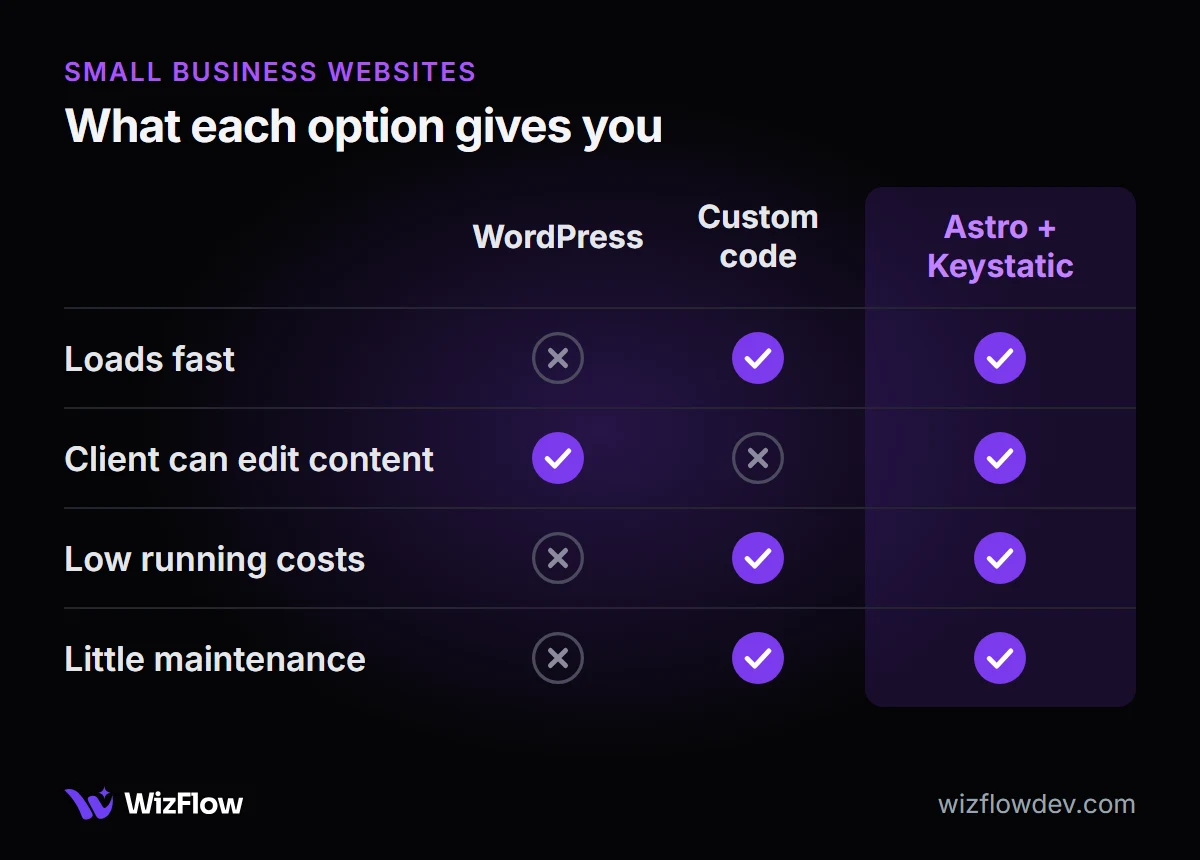
- WordPress sites they can edit, but that get slower and harder to maintain with every plugin.
- Custom sites that load fast, but where every typo means waiting for a developer.
Neither is great. What they actually want is a site that loads fast and a simple screen where they can write a blog post or swap a photo on their own.
What Astro does
Astro is a framework for building websites. Every page is built ahead of time into plain HTML, so the browser gets a finished page with almost no JavaScript to run. That's why Astro sites tend to load quickly even on slow phone connections.
We wrote about what that looks like in practice in How we cut a website's load time from 20.9 seconds to 1.8.
The catch is that out of the box, content in an Astro site lives in files inside the code. Fine for us, not fine for a client.
What Keystatic adds
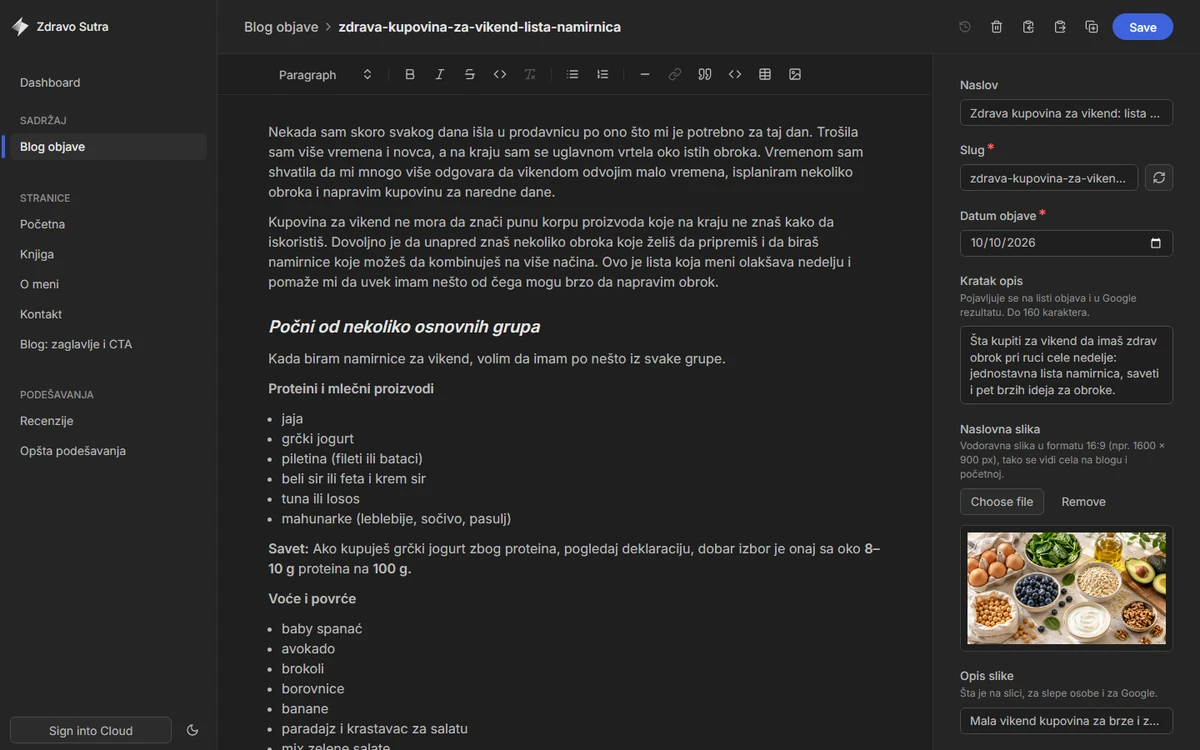
Keystatic is a free, open source content editor that runs inside the site itself. The client opens an admin page, logs in and sees simple forms: a title, a cover image, the text of a post. No code, no terminal.
A few things we like about it:
- No separate database. Content is saved as files in the same project as the code, so there is one thing to back up, not two.
- We decide what can be edited. For each project we set up only the fields the client needs, like blog posts, recipes or testimonials. The layout and design stay protected, so nothing breaks by accident.
- Every change is saved in history. If something gets deleted by mistake, we can bring it back.
- The site stays static. When the client saves a post, the site rebuilds and the new page goes live as plain HTML, so editing never slows the site down.
- Client writes a post in Keystatic
- Saved as files in the project
- Netlify rebuilds the site
- New page goes live as plain HTML
How it works on Zdravo Sutra
Zdravo Sutra is a site for Marija's e-book with 65+ healthy recipes. We rebuilt it in Astro, with checkout handled by Payhip.
Marija publishes blog posts herself in Keystatic. She writes the post, adds a cover photo and saves it. The site rebuilds on Netlify and the post appears on the live site, without her opening a WordPress dashboard or sending us anything.
What it costs to run
This is where the setup really helps small businesses:
- Astro and Keystatic are both free and open source.
- No plugin licenses to renew every year.
- No database server to pay for or keep updated.
- Hosting is cheap. A static site is just files on a CDN, and small sites often fit within a free hosting plan.
There are also fewer things that need security updates, because there is no PHP, no plugins and no admin panel exposed the way a WordPress login is.
When we'd pick something else
Astro with Keystatic isn't the answer for every project. We'd usually recommend something else when:
- You want to change the design yourself. Keystatic edits content, not layouts. If your team wants to move sections around and restyle pages visually, Webflow or Framer is a better fit.
- You sell many products. For a real store with stock, variants and customer accounts, Shopify or WooCommerce does the job better.
- Several people need roles and approvals. If you need editors, reviewers and a publishing workflow, a full CMS makes more sense.
- Content changes every few minutes. Each save triggers a rebuild, so changes take a short while to appear. For a news site or live data, that's the wrong model.
For a company site, a blog, a portfolio or a small shop that sells one or two products, it's often the best mix of speed, low running costs and independence for the client.
You can see the finished site in the Zdravo Sutra case study, or get a fixed quote if you want a site you can edit yourself.

Written by
Miroslav Markovic
Co-founder, development
Leads development at WizFlow. 7+ years building websites and web apps in Webflow, WordPress, React and Astro. Based in Belgrade.
More about Miroslav